Free during the pilot phase

Your home’s information, ready when you need it.

Keep appliances, documents, maintenance and reminders in one place. When something breaks, request quotes sharing only what’s needed.

Works in the browser on your phone and computer, and can be installed as an app on iPhone and Android.

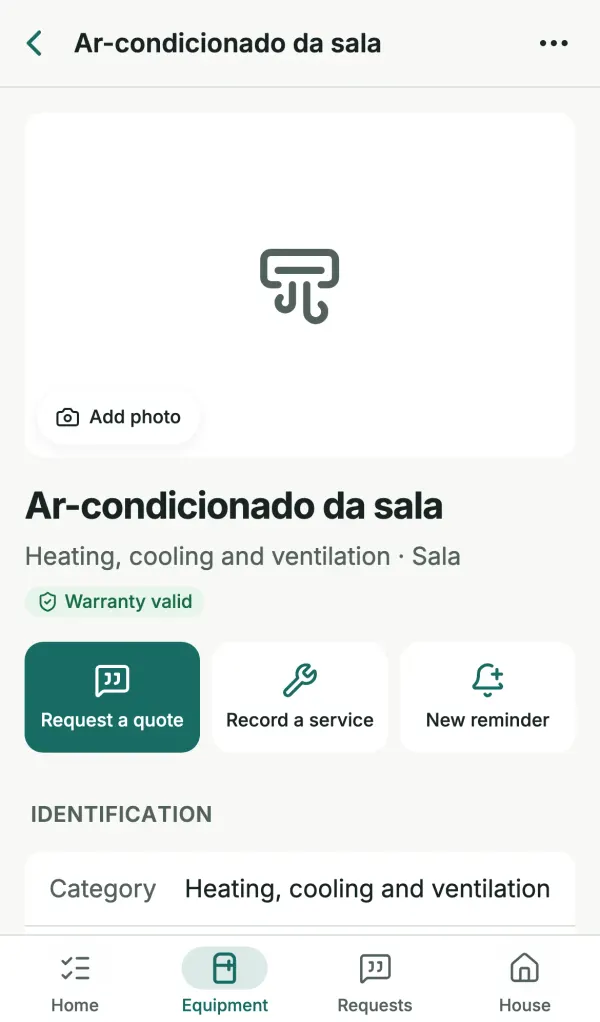
Air conditioner record in Lumora with category, room, valid warranty and the actions Request a quote, Record a service and New reminder.
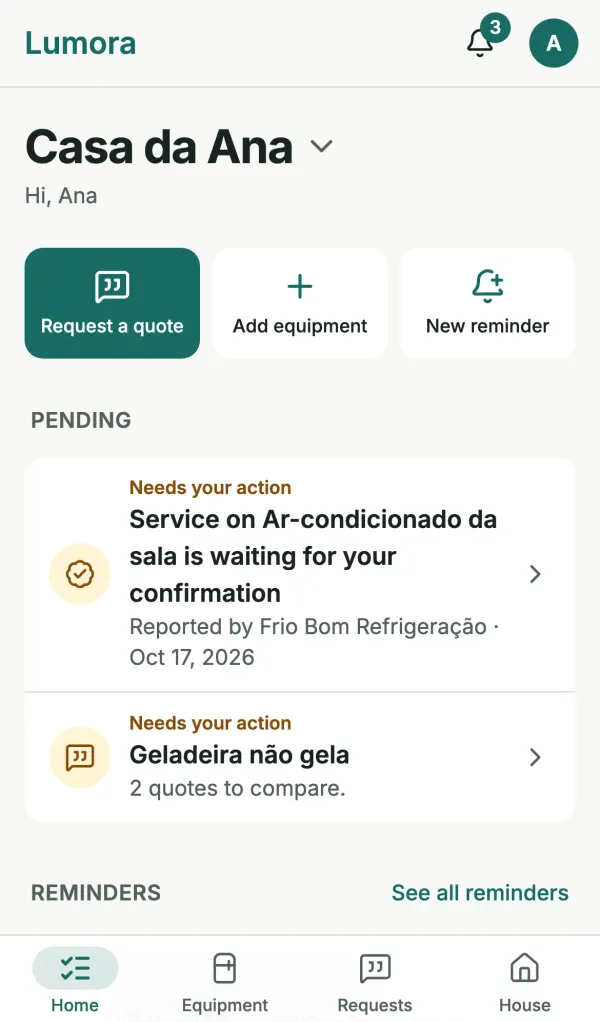
Lumora home screen listing what needs attention, such as a service awaiting confirmation and quotes to compare.

When something breaks, the information is nowhere to be found

The receipt is in a drawer, the manual is lost, the model number is on a label behind the fridge and the technician’s number is buried in your phone. Lumora gathers it all by appliance, for you and the people you live with.

  • A record for every appliance

    Brand, model, serial number, purchase date and price, store, room and warranty end. Only the name is required.

  • Documents you can find

    Photos of labels, receipts, manuals and warranties stored with the item, in private storage.

  • A history that stays

    Every service is recorded with date, provider, cost and receipts, plus who reported it and who confirmed it.

  • The whole household together

    Invite the people you live with. All members see and look after the same information.

How it works

Start with what matters now. Fill in the rest later.

  1. Create your home

    Give it a name and pick the country, currency and time zone. The address is optional.

  2. Add what you own

    Add appliances and areas such as the roof or the electrical system. You can start from a photo of the label, the receipt or the appliance itself.

  3. Use it when you need it

    Check the record, log services, get reminders and request quotes with the right context.

Everything your home needs to remember

Appliances and areas

Find any item in seconds

Search by name, brand, model or room and filter by category. Photos help you recognize each item; areas of the home are kept apart from appliances.

  • Categories such as fridge, washing machine, heating and cooling, plumbing and roof
  • Photos and PDFs: JPEG, PNG, WebP, HEIC (iPhone photos) and PDF
  • Items with history are archived, never silently deleted
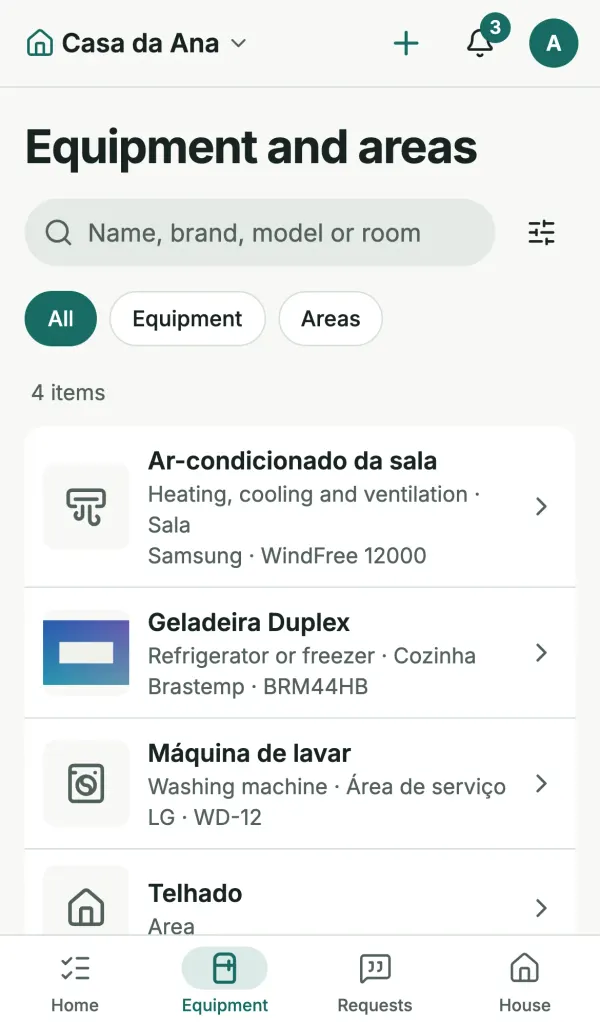
List of appliances and areas in Lumora with search, filters and items such as an air conditioner, fridge, washing machine and roof.

Reminders

Reminders at your pace

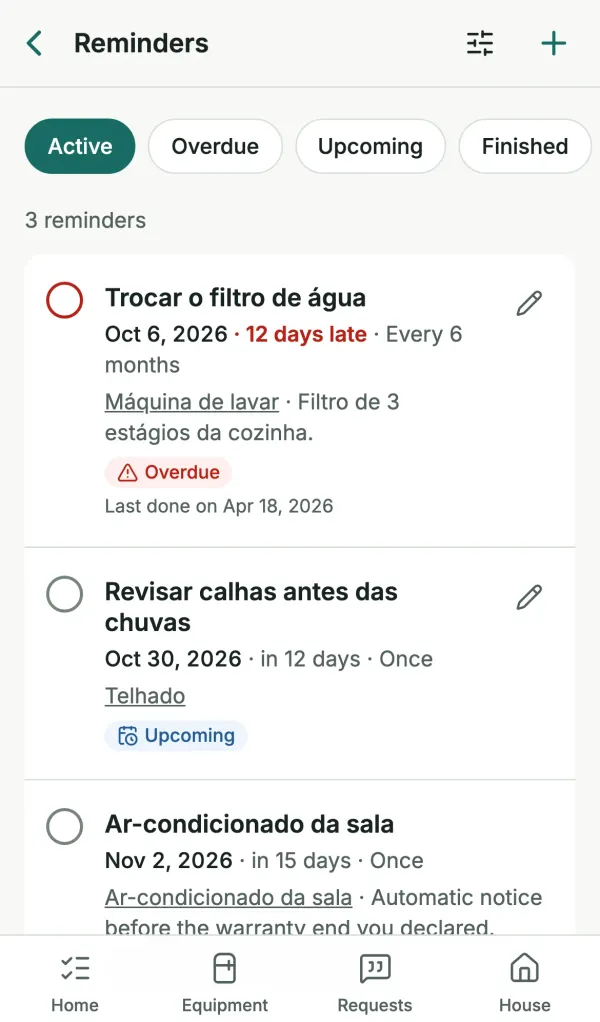
Filter replacement, gutter check, air conditioner cleaning. You pick the date and, if you want, how often it repeats in days or months.

  • Optional notice 30 days before the warranty end you entered
  • In-app and e-mail notifications, with per-person preferences
  • Nothing is completed on its own: you mark it done and the next date is calculated
Reminder list in Lumora with an overdue filter replacement and other upcoming reminders.

AI reading

AI fills it in, you decide

Take a photo of the label, the receipt or the appliance itself. Lumora suggests brand, model, serial number and purchase details, field by field, next to what’s already in the record.

  • Only with your permission

    Reading is optional and asks for your consent every time.

  • Only that file

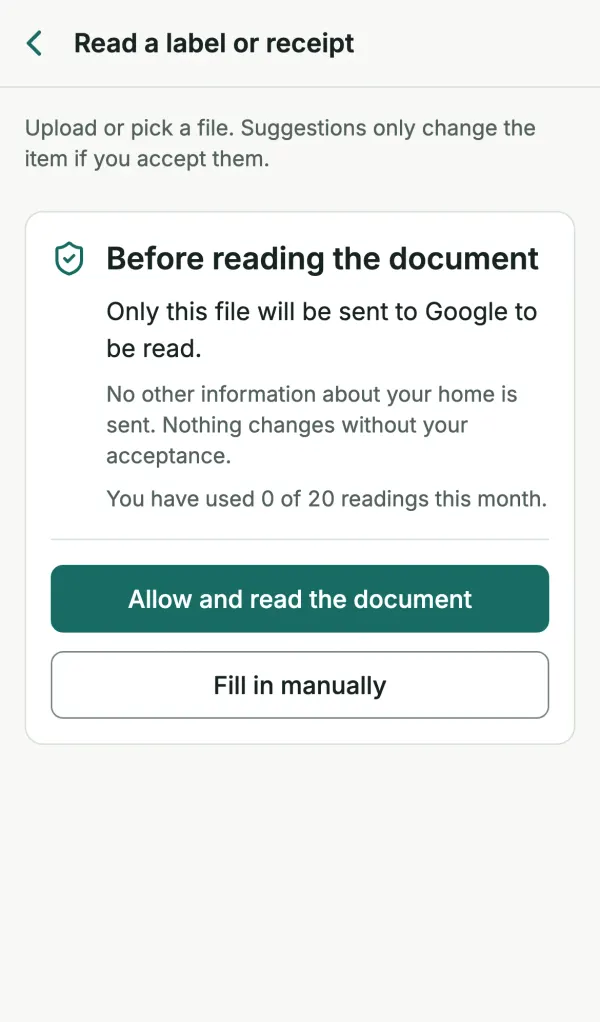
    Only the file you choose is sent to Google (Gemini API). No other information about your home is sent.

  • Nothing applied without you

    Suggestions can be wrong. You accept, edit or discard each field.

  • Manual entry always works

    If reading fails or the home’s monthly limit runs out, the file is kept and you fill it in by hand.

Lumora consent screen: “Only this file will be sent to Google to be read. No other information about your home is sent. Nothing changes without your acceptance.”

AI and privacy

Your data stays yours

  • Files in private storage, with no public links.
  • Each home is visible only to its members.
  • We don’t sell data, use it for advertising or train AI models with it.
  • Export a home’s data or delete your account whenever you want.

Quotes from technicians

Request quotes with the right context

Describe the problem and choose exactly what the technician will see. Each technician gets their own link and replies without creating an account or installing anything.

  • Your full address is never shared; documents stay off until you pick them
  • The technician confirms their e-mail with a 6-digit code and sends the quote
  • You can end a link’s access at any time
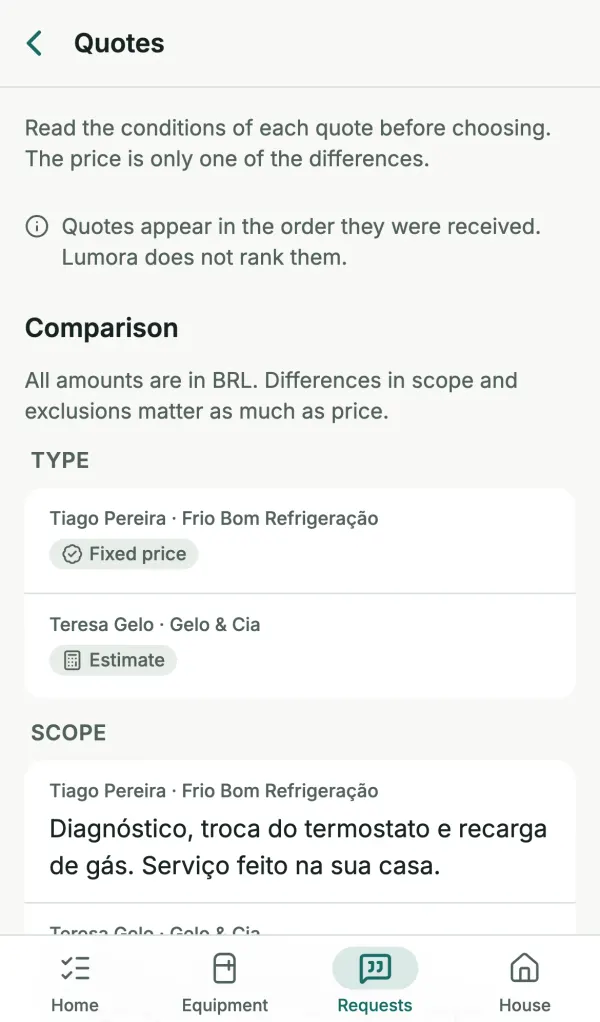
  • Compare price, scope, exclusions, warranty and quote type. Lumora does not rank quotes.

You agree the final terms and payment directly with the provider.

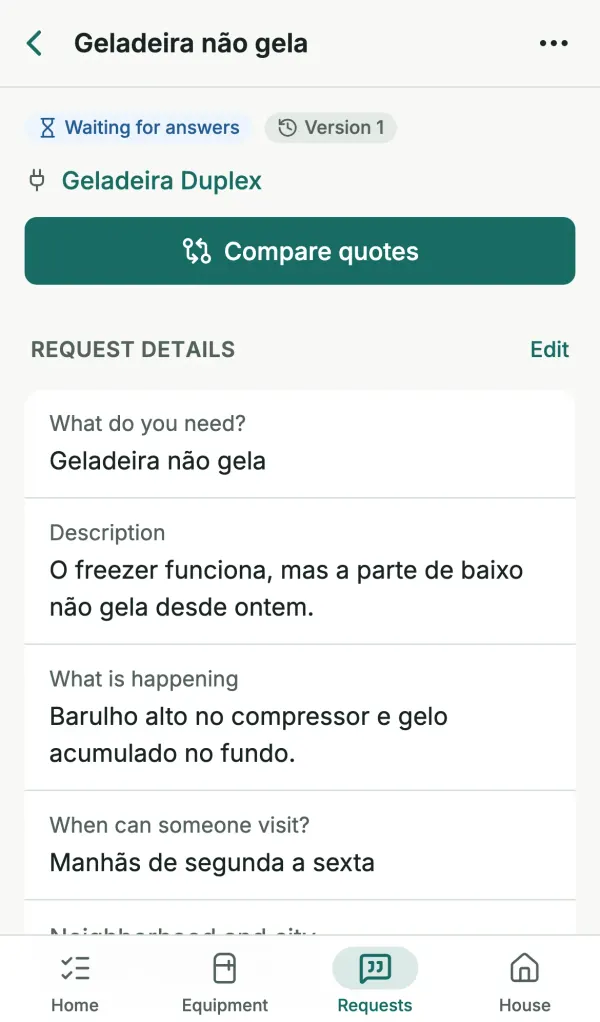
Request “Geladeira não gela” (fridge not cooling) in Lumora, waiting for answers, with the Compare quotes button.
Quote comparison in Lumora: two technicians, with quote type and scope side by side, in the order they were received.

And more

  • Household members

    Single-use e-mail invitations, valid for 7 days. The owner manages who has access.

  • Export

    The owner can export the home’s data and files to keep a copy.

  • Any country

    Portuguese, English and Spanish. Currency and time zone set per home, no national ID required.

  • Light and dark theme

    Follows your system or your choice, on phone and computer.

Install it as an app

Lumora is a web app (PWA): open it in the browser and add it to your home screen to use it like an app. It works mainly online.

iPhone (Safari)

  1. Open app.lumora.zalk.com.br in Safari.
  2. Tap Share.
  3. Choose Add to Home Screen.
  4. Tap Add.

Android (Chrome)

  1. Open app.lumora.zalk.com.br in Chrome.
  2. Open the menu (three dots).
  3. Tap Install app or Add to Home screen.
  4. Confirm.

Frequently asked questions

What is Lumora?

Lumora is a web app for organizing your home’s information: appliances and areas, documents (labels, receipts, manuals and warranties), maintenance history, reminders and quote requests to technicians.

How much does it cost?

Nothing. Lumora is in its pilot phase and is offered for free. Features may change, be added or be removed during the pilot.

Do I need to download an app?

No. Lumora works in the browser on your phone and computer. On iPhone and Android you can add it to your home screen and open it like an app.

Does the technician need an account?

No. Each technician gets their own link, sees only what you chose to share and confirms their e-mail with a one-time code to send a quote.

What is sent to the AI?

Only the file you chose to read, and only after you allow it, every time. It is sent to Google (Gemini API) to suggest details such as brand and model. No other information about your home is sent and nothing is applied without your acceptance.

Who can see my home’s information?

Only the members you invited. Technicians see only what you select in each request; your full address is never shared.

Does Lumora recommend or guarantee technicians?

No. You invite the technicians you choose. Lumora does not handle payments and does not hire or guarantee the services provided.

Does it work offline?

Lumora works mainly online. Without a connection the app tells you and keeps form drafts, but it can’t be fully used offline.

Can I take my data with me?

Yes. The owner can export a home’s data at any time, and you can delete a home or your account in the settings.

Start with your fridge

Add one appliance today and have its information at hand when you need it. It’s free during the pilot phase.